Using function keys
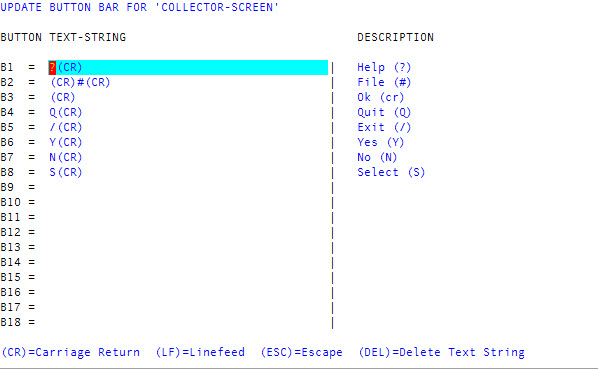
You can automate tasks using the function keys. You can program several commands into one function keystroke and you can configure different function key commands for different screens. For example, you can program the F1 key to load the Help menu on the Collector screen and program it differently for another screen.
 Command descriptions
To program a function key:
- At the Enter Selection prompt in any menu, type O (not zero).
- Type F.
- In the Update Button Bar window, select the option corresponding to where the function keys are located, and then click Ok.
-
In the Button Text-String column, type the characters that correspond to the commands that you want. For example, type ? (CR).