Creating or changing the Management Strategies menu password
Use this password to control access to the Management Strategies menu, which provides access to much of the configuration information for the agency.
To create or update the Management Strategies menu password:
-
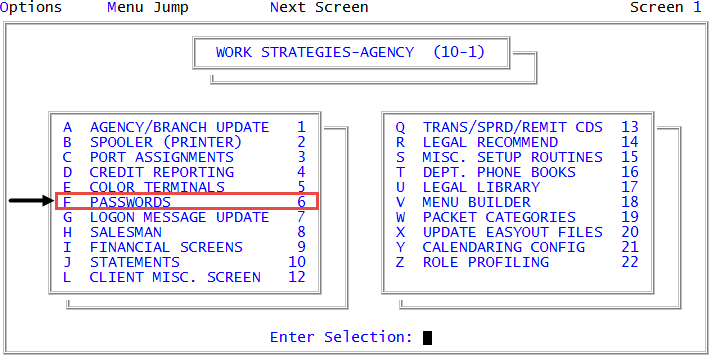
From the Master menu, navigate to
 Management Strategy > Agency > Passwords (menu 10.1.6).
 - In the Enter Master Password window, type the master password, and press Enter or click Ok.
- In the Password Update Routine window, select Mgt Work Strategies Password, and press Enter or click Ok.
- In the Mgt Work Strategies Password ("current password") window, do one of the following:
- To create a new password, type it, press Enter or click Ok.
To delete the password, type NONE, press Enter or click Ok.
No password is required for programs or menus that ordinarily prompt for this password type.
- To keep the current password, press Enter or click Ok.