Displaying a list of collector action codes
Use this option to view a list of collector action codes used by your agency.
To display a list of collector action codes:
-
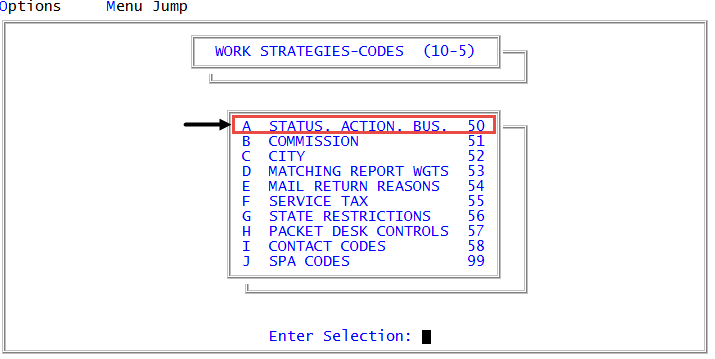
From the Master menu, navigate to
 Management Strategy > Codes > Status, Action, Bus. (menu 10.5.50).
 - In the Status/Action Code Descriptions window, select Update Codes, and press Enter or click Ok.
- In the Codes File Update/List window, select Collector Action Codes, and press Enter or click Ok.
- In the Collector Action Codes window, select Update Routine, and press Enter or click Ok.
- In the Action Code Update window, select one of the following, and press Enter or click Ok:
- To view a list of all the collector action codes on the system, select Display.
- To view a list of a select range of collector action codes, select Display n. When you use this option, the list starts with the code you specify and displays the next 21 action codes.
- In the Enter Code to Start Display from window, type the first number of the collector action code range, and press Enter or click Ok.
The following is an example of an action code list.
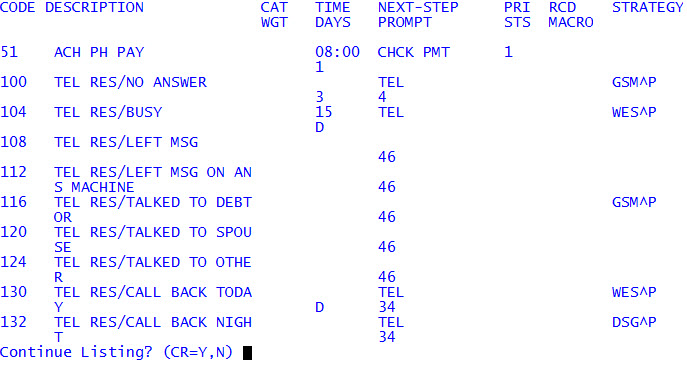
The following table lists the descriptions for each column in the report:
|
Column |
Description |
|
Code |
The number that identifies the collector action. |
|
Description |
The explanation of what the collector action code does. |
|
Cat |
The letter corresponding to the category assigned to the collector action code. |
|
Wgt |
The value from zero (lowest) to three (highest) that ranks the effectiveness of the collector action code. |
|
Time |
The time the collector action code updates the Time to Work field to in the Tickler. |
|
Days |
The date the collector action code updates the Date Work Again field to in the Tickler. |
|
Next-Step Prompt |
The short word, abbreviation, or another action code to remind the collector what to do next. |
|
Prompt |
The field numbers in the Tickler to stop for input. |
|
Pri |
The priority to set the Priority field to in the Tickler. |
|
Sts |
The status code the account changes to when using the collector action code. |
|
Rcd |
The restriction code (from A to Z) that limits which collectors can use the collector action code. |
|
Macro |
The macro that runs when using the collector action code. |
|
Strategy |
The side-action or parallel strategy that runs when using the collector action code. |