Printing standard WIP schedules
Use this option to print the schedule for a standard WIP.
To print standard WIP schedules:
-
From the Master menu, navigate to
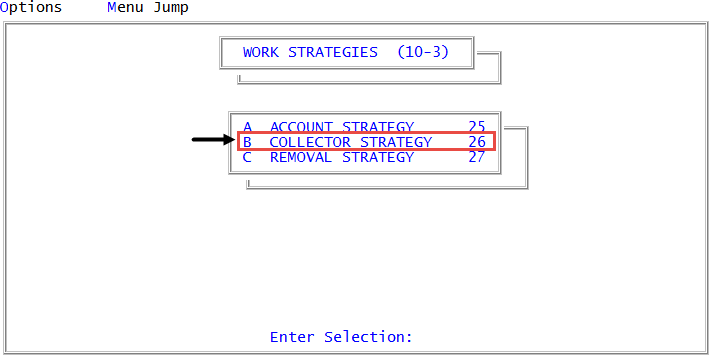
 Management Strategy > Work Strategies > Collector Strategy (menu 10.3.26).
When configuring the standard WIP for collector desks working legal accounts, you can also access the same WIP controls from Legal > Setup > Collector Strategy (menu 13.1.1).
-
In the Enter Collector Number window, do one of the following:
For the agency's standard WIP
Press Enter or click Ok.
For a collector desk's standard WIP
- Do one of the following, and press Enter or click Ok:
- If you know the collector desk number, type it.
- To choose from a list of collector desk numbers, type?.
- In the Select Desk to Update window, select the desk number, and press Enter or click Ok.
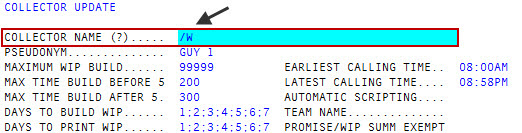
- In the Collector Name field of the Collector Update screen, type /W, and press Enter.
- Do one of the following, and press Enter or click Ok:
-
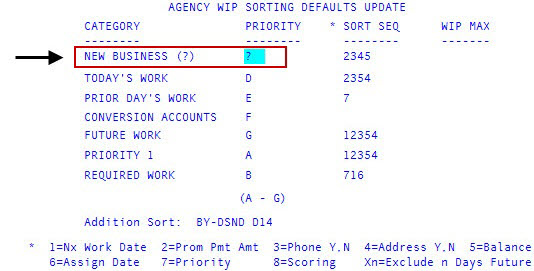
In the Priority field of the New Business category of the agency/desk WIP Sorting Defaults Update screen, type /P, and press Enter.
-
At the Send information to printer? prompt, do one of the following:
Print the information
Select Yes.
View the information on the screen
Select No.