Reprinting the Matching report
Use this option to print the last Matching report that was printed.
To reprint the Matching report:
-
From the Master menu, navigate to Data Entry > Matching report (menu 1.3).
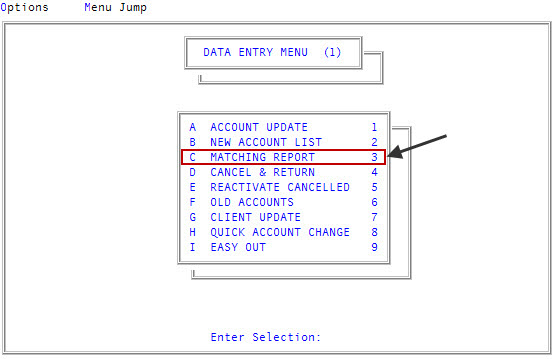
- In the Matching Report window, select Reprint Matching Report, and press Enter or click Ok.
- At the OK to print? prompt, click OK.
The following is an example of the Matching report:
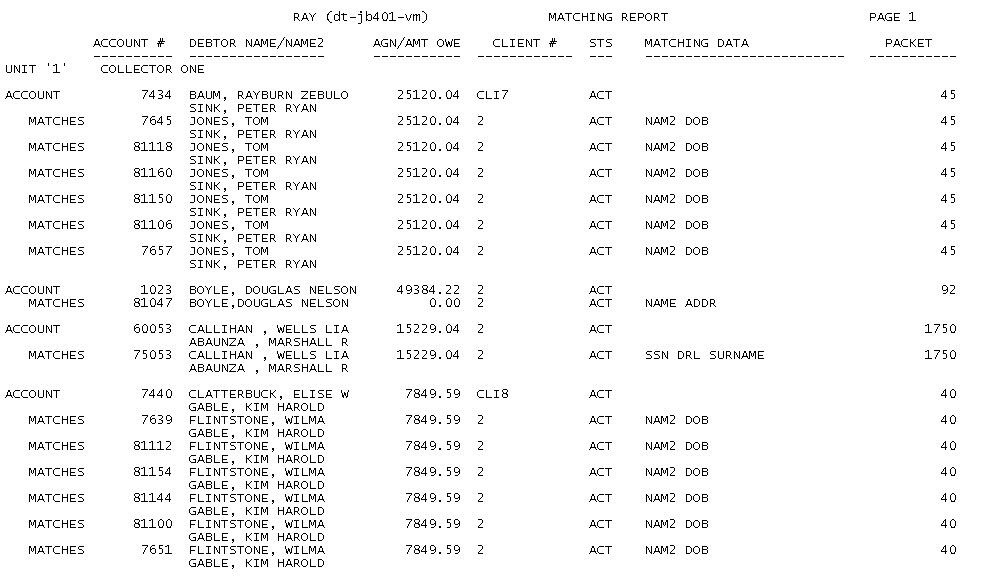
The following table describes the columns in the report:
|
Column |
Description |
|
Account # |
The number your agency uses to identify the account. |
|
Debtor Name/Name2 |
The name and second name, if applicable, listed in the account record. |
|
Agn/Amt Owe |
The assigned amount owing on the account. |
|
Client # |
The number your agency uses to identify the client. |
|
Sts |
The code your agency uses to indicate the status of the account. |
|
Matching Data |
The criteria the accounts were matched by. |
|
Packet |
The number of the packet the account is a member of. |