Deleting SPA restrictions
To delete SPA restrictions:
-
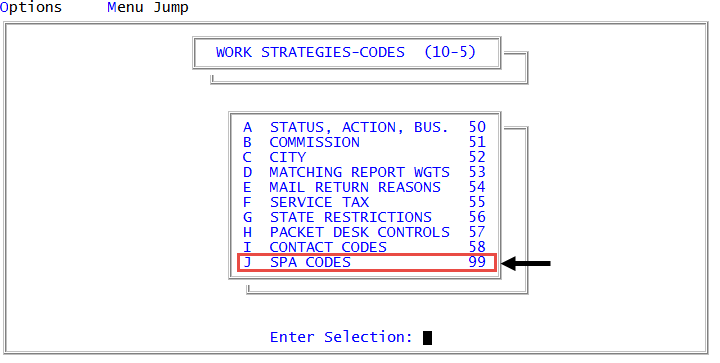
From the Master menu, navigate to
 Management Strategy > Codes > SPA Codes (menu 10.5.99).
 - In the Schedule Payment Code Configuration window, select Update Restrictions, and press Enter or click Ok.
-
In the Select Restrictions Level to Narrow Search Display window, do one of the following, and press Enter or click Ok:
- To select from a list of all of the restrictions, click <All>.
- To select the type of restriction to delete, select a type, such as Agency, Client, and so on.
- In the Restriction Update window, select the restriction to delete, and press Enter or click Ok.
- In the Restriction Update window, select <Delete Existing>, and press Enter or click Ok.
- In the Delete Restriction window, select the restriction, and press Enter or click Ok.
- At the Are you sure you want to delete this restriction? prompt, do one of the following:
- To delete the restriction, press Enter or click Yes.
- To keep the restriction, click No.
- To exit the routine, in the Restriction Update window, click Cancel.