Understanding the Collector screen

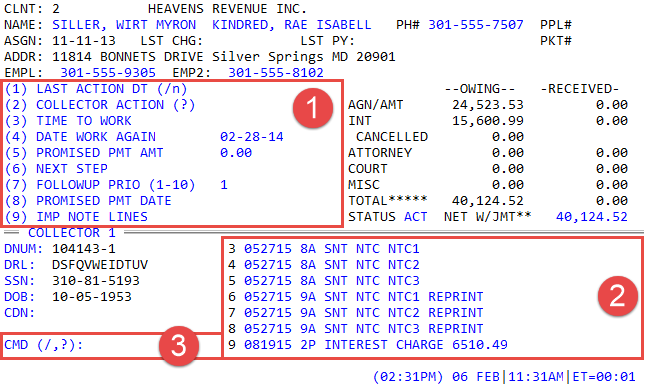
The Collector screen has seven main areas that provide the information needed to work an account:
- Account Information
- Additional Account Information
- Owing and Received
- Tickler
- Notes
- Command Prompt
- Date and Time Information
The Account Information❶, Owing and Received❷, Additional Account Information❸, and Date and Time❹ areas display information that is helpful while working an account.

The Tickler❶, Notes❷, and Command Prompt❸ areas are where you actually record information while working the account. This includes updating demographic information, creating notes about the actions you performed, and initiating actions on the account using specific commands.