Backing up accounts before purging
Use this option to copy the accounts to be purged to your permanent storage medium. The media available are tape, optical disk, and CU·Archive.
When archiving to CU·Archive, use this option on a workstation using CU·Emulate. You must have CU·Archive installed, or have access to CU·Archive through the network. For more information, see the CU·Archive manual.
To back up accounts before purging:
-
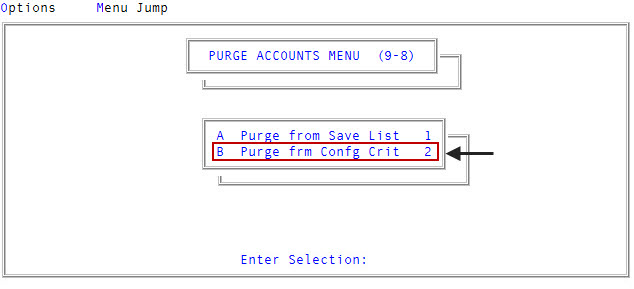
In the Master menu, navigate to
 Utility > Purge Accounts > Purge frm Confg Crit (menu 9.8.2).
 - In the Purge Routines window, select Back Up Accounts to be Purged, and press Enter or click Ok.
-
In the Put Tape On-Line, Enter command to select the tape unit prompt, type the appropriate command for the hardware being used to select the tape unit desired, and press Enter or click Ok.
The following various commands are used by different systems:
T‑ATT
SET‑SCT
T‑SELECT
SET‑CT
SET‑MT
ASSIGN MT0 to MTU 0
If you are not sure which command to use, contact your Finvi Support representative.
The system indicates the block size being used and begins creating the tape.
- If you use CU·Archive, to automatically start archiving accounts, press Enter or click Ok to start the CU·Archive program.