Upgrading Client Access logons
A client with a terminal and modem that views assignments is generally given access to a separate logon that limits access to specific data. When upgrading to the newest release, the Upgrade Client Access Logon option upgrades without forcing the user to log on, load the release tape, and so on. The Client Logon's Master Dictionary is changed to point to the current library account where the new release information is stored, and the logon is updated.
You can give clients access to your system through the purchase of a client access logon. For more information about client access logons, contact Finvi Support.
To upgrade Client Access logons:
-
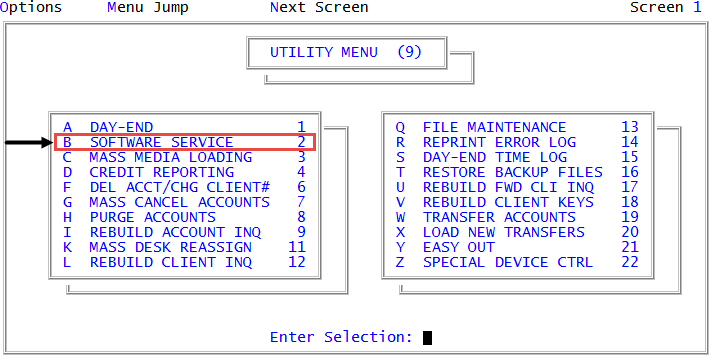
From the Master menu, navigate to
 Utility > Software Service (menu 9.2).
 - In the Finvi Product Support window, select Upgrade Client-Access Logons, and press Enter or click Ok.
- In the Enter the Client-Access Logon to be Upgraded to release window, type the logon to be upgraded to the release, and press Enter or click Ok.
- In the Upgrade Client Access Logon window, do one of the following:
- To proceed with the upgrade procedure, click Yes.
- To not proceed with the upgrade procedure, click No.
- At the login Successfully upgraded to latest library version prompt, click Ok.