Using screens
Navigating away from a screen is different than navigating from a menu to a menu. When navigating away from a screen, you must press Enter after typing the command.
To go back to the previous menu:
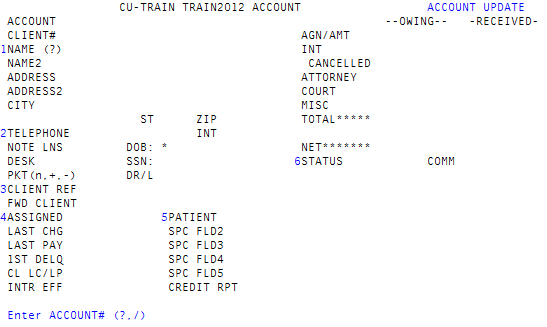
- For example, on the Account Update screen (shown above), at the Enter Account# (?, /) prompt, type /, and then press Enter. The Data Entry menu displays, which is the previous menu in the hierarchy.