Changing or deleting standard commission codes
Deleting commission codes currently assigned to a client will affect your operations. You will need to assign an active commission code to any clients currently assigned the one you are deleting. If you need assistance to identify which clients are using a commission code before you delete it, please contact your Finvi Support representative.
To change or delete a standard commission code:
-
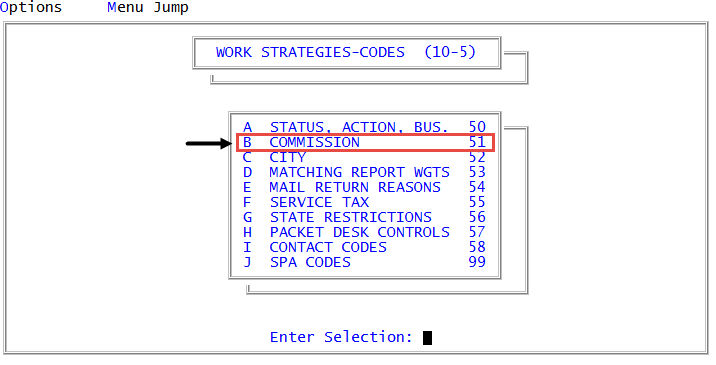
From the Master menu, navigate to
 Management Strategy > Codes > Commission (menu 10.5.51).
 - In the Commission Code Table window, select Update, and press Enter or click Ok.
- In Enter Commission Code, type the commission code to change, and press Enter.
- At the <code>----- Update, Delete Or Help (U,DEL, ?, /), do one of the following:
- To change the code, type U, and press Enter. The cursor moves to the top line of the Type column. Press Enter to move the cursor until you reach the field to change. Lines can be added to the bottom, but cannot be inserted between existing lines. For more information on each field to changes, see Creating standard commission codes.
- To delete the code, type D, and press Enter. At the OK To Delete? prompt, click Yes to delete the code. The system displays Commission Code code Deleted and returns to the Enter Commission Code window.
- To view help, type ?, and press Enter. After reading the help information, press Enter to exit.
- To cancel out of the change screen, type /, and press Enter.