Displaying status codes
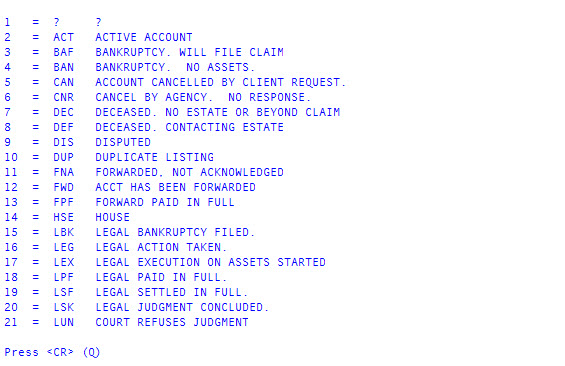
Use this option to view a list of the current status codes available in The Collector System. The screen displays the code and a description of the code.
To display a list of status codes:
-
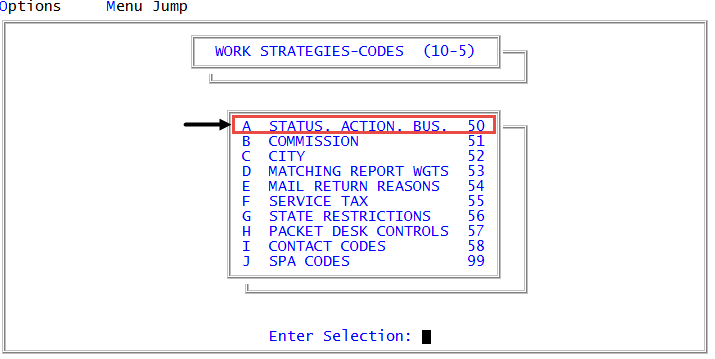
From the Master menu, navigate to
 Management Strategy > Codes > Status, Action, Bus. (menu 10.5.50).
 - In the Status/Action Code Descriptions window, select Update Codes, and press Enter or click Ok.
- In the Codes File Update/List window, select Assignment Status Codes, and press Enter or click Ok.
-
In the Status Code Update window, select Display, and press Enter or click Ok.
- To move to the next page press Enter.
- To exit, type Q, and press Enter.
The following is an example of a list of status codes:
For more information, see Printing a list of the current action codes.