Viewing open batches for precollect accounts
Use this option to view the details of a batch by employee.
To view batch details for precollect accounts:
-
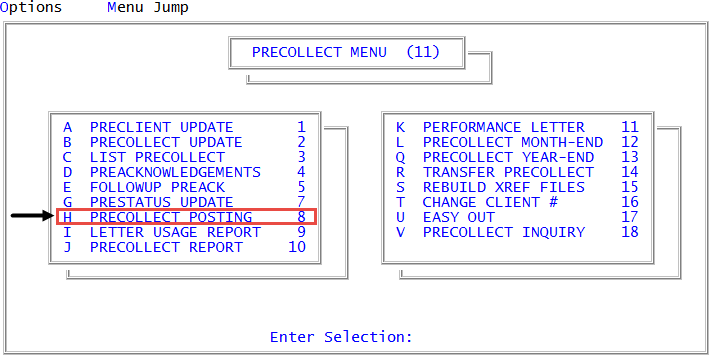
From the Master menu, navigate to
 Precollect > Precollect Posting (menu 11.8).
You can also access the precollect posting from Precollect > Precollect Update (menu 11.2).
- In the Batch Number to Update window, select Display Batch, and press Enter or click Ok.
- In the Enter Batch to Display prompt, type the batch number, and press Enter or click Ok.
-
In the Enter Employee Initials to Display window, type the employee initials, separated by semicolons, or type ALL to view all employees who have worked in this batch. Press Enter or click Ok.
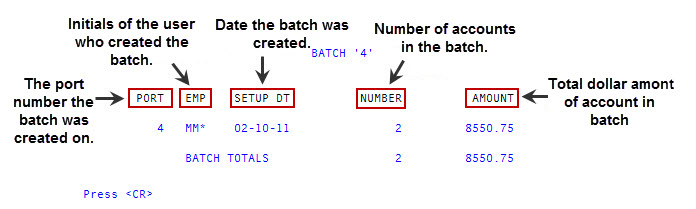
The batch information displays:
-
At the Enter Batch to Display prompt, enter another batch number or press Cancel to exit.
To print a batch verification list, see Printing batch details using the Verification report.