Menu 1.6 - Old Accounts
Use the Old Accounts option to enter existing accounts during conversion to The Collector System and later to re-enter any purged accounts.
You must add your existing or purged accounts using the Old Accounts option or your client statistics will be invalid.
Do not add new accounts with the Old Accounts option. Add new assignments to the system within the Account Update screen, which places the account information in the current month's new Account file. Accounts in the new Account file receive notices, are included in client statistics, and are printed on a client acknowledgment. In contrast, old accounts are not included in the new Account file. Old accounts are simply added back to the system.
To save time, your Finvi Support representative can set up a codes item to automatically enter old accounts into the appropriate collector Tickler file and set a next work date equal to the current date plus the number of days your agency wants items held.
After an old account is added to the system, you can update it using either the Account Update or Old Account screens; it makes no statistical difference.
The Old Accounts screen is identical to the Account Update screen; the only difference is the notation Old Accounts over the Owing and Received section to remind you that this is the Old Accounts screen.
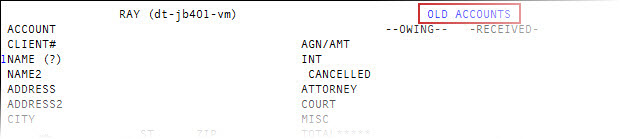
As a safeguard against accidentally using the Old Accounts program to enter a new account, you cannot enter a date in the current month in the Assigned field on the Old Account screen. If you do try to enter a date in the current month, the system prompts you to enter the account in the Account Update screen.
The options available at the Enter Account# (?, /) prompt and the fields on the Old Accounts screen are used exactly as in the Account Update screen. For more information, see Menu 1.1 - Account Update and Working with Account records.