Viewing the SPA Activity Log
Menu 5.1
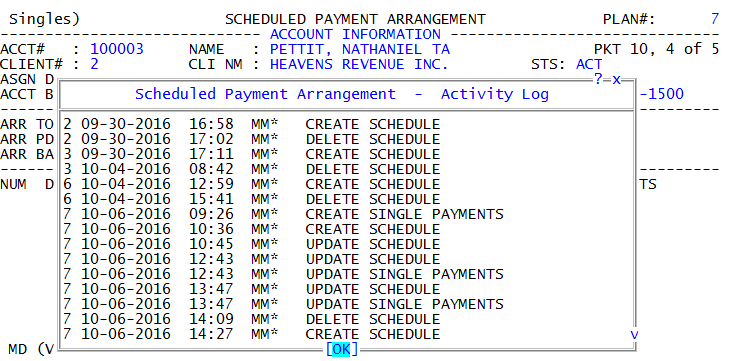
The SPA Activity Log displays change information to scheduled or single payments, such as the action performed, who performed the action, and when it was performed.
To view the SPA Activity Log:
- Open an account in the Collector screen.
- At the CMD prompt, type SPA, and press Enter.
-
To view the SPA Activity Log for single payments, type V to toggle to the Single Payments area of the Scheduled Payment Arrangement screen, and press Enter.
-
In the CMD prompt, type L, and press Enter.
The commands listed in the CMD prompt vary depending on if packet members are included in the SPA or if you are in the Single Payments area of the Scheduled Payment Arrangement screen. For a list descriptions for the commands on this screen, see Scheduled Payment Arrangements (SPAs).
The following is an example of the SPA Activity Log: